Explore your world
See your airports on the map and highlight cities with installed packs. Open location details or jump into routes from an airport.
MAPS · AIRPORTS · CITY PACKS
YOUR FLIGHT SIM LIBRARY, CONNECTED
Bring your airports, aircraft and scenery together. Explore what you own, discover real-world routes that fit your addons, and find your next flight.
Windows desktop · MSFS 2020 & 2024 · Invite-only access
A REASON TO FLY WHAT YOU OWN
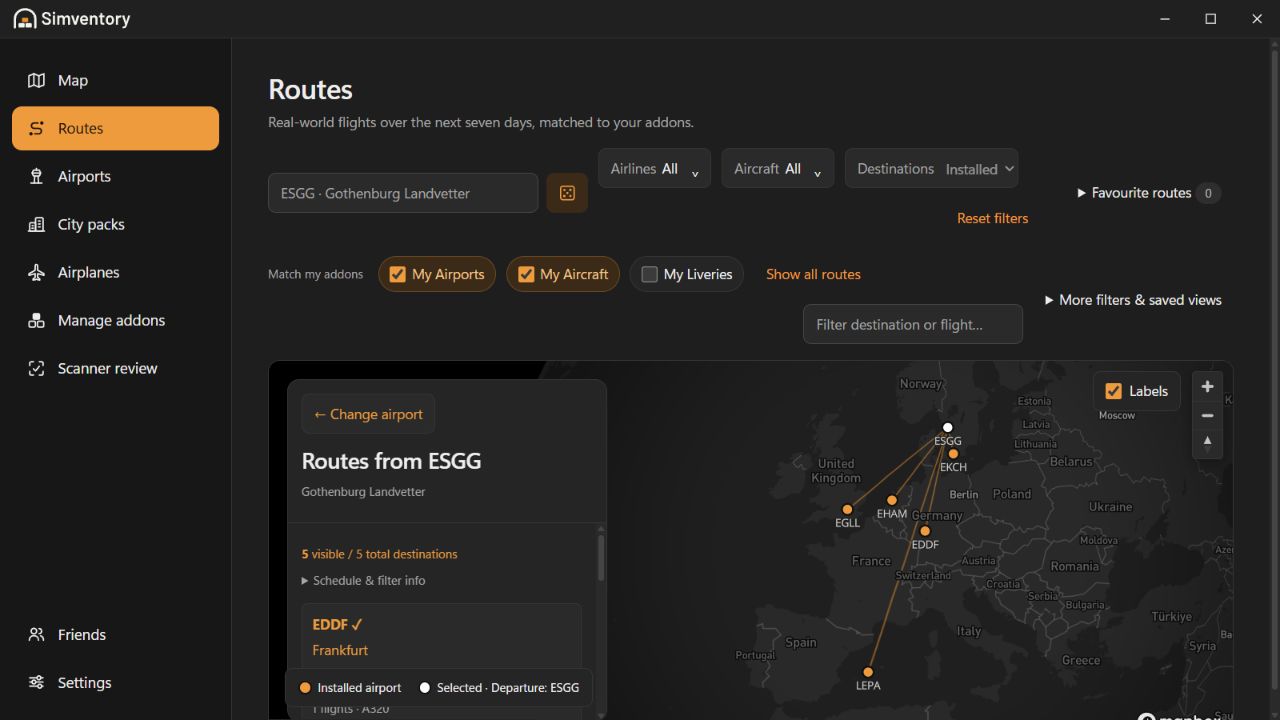
Choose a departure airport and explore real-world flights over the next seven days. See the destinations on a map, then narrow the results to the airports, aircraft and liveries in your library.
Filter by airline or aircraft, compare destinations and open a flight’s details. Spend less time deciding where to go and more time enjoying your collection.
Take a closer look at RoutesSearch for an airport, choose one on the map or try a random departure.
Use My Airports, My Aircraft and My Liveries to find routes that fit what you have installed.
Browse destinations, check flight details and save a favourite route for later.
Routes use the loaded seven-day schedule. Coverage varies and scheduled aircraft can change.
A HOME FOR YOUR WHOLE COLLECTION
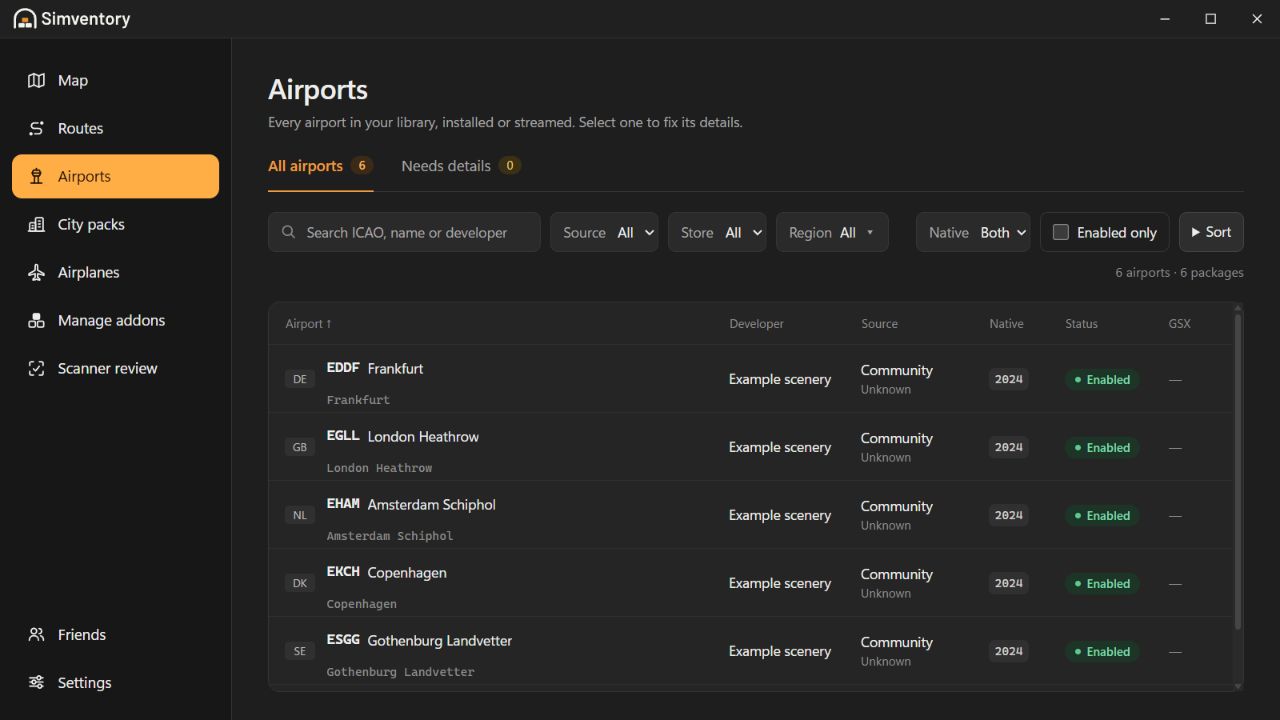
Browse airports, city packs, aircraft and liveries in one place. Filter by source, developer or simulator version, review missing details and keep your collection easy to navigate.
Manage addon groups and save scanner corrections that stay with your library after a rescan.
BUILT AROUND YOUR SIM LIBRARY
Discover, organize and keep your addons ready for wherever you fly.
See your airports on the map and highlight cities with installed packs. Open location details or jump into routes from an airport.
MAPS · AIRPORTS · CITY PACKSScan your packages, review uncertain matches and save lasting corrections. Your library stays organized as your collection grows.
SCANNING · REVIEW · CORRECTIONSAddons stay linked while the simulator’s native controls manage activation. In MSFS 2024, enable an already registered addon in My Library when plans change, without restarting the sim.
ALWAYS LINKED · NATIVE ACTIVATIONA SHORTER PREFLIGHT
Add your simulator folders and addon libraries.
Scan your packages and review anything that needs a closer look.
Explore the map and discover routes matched to your collection.
YOUR SIM WORLD, SHARED
Open a pilot’s public map of airports and city packs. Sharing is always their choice.
READY FOR A CLEARER VIEW?
Access is currently limited to approved email addresses.
YOUR SIMVENTORY ACCOUNT
Verify your email address before signing in. Follow the link in your email, then return here or to the desktop app to log in.
WELCOME TO SIMVENTORY
A clearer view of everything you’ve added to your simulator.
← Back to the app overviewYOUR ACCOUNT
Welcome back. Sign in to download Simventory.
Need another verification email?
New to Simventory? Create an account
Sign-up is invite-only. Use your approved email address. Verify your email through the link we send you before signing in.
THE DESKTOP APP
Install Simventory, connect your addon folders and bring your library into view.

Windows · 64-bit installer
Checking your account…
Download for WindowsHave an approved email? Create your account.
For Microsoft Flight Simulator 2020 and 2024.
Your simulator and addon files stay on your computer.
YOUR ACCOUNT
Choose who can create a Simventory account.
Checking your account…
Adding an address allows signup. It does not send an invitation.
Removing an email blocks future signups. Existing accounts keep their access.